HTTP/RESTful API troubleshooting tools

As a developer I’ve used a variety of APIs and as a Developer Advocate at Bazaarvoice I help developers use our APIs. As a result I am keenly aware of the importance of good tools and of using the right tool for the right job. The right tool can save you time and frustration. With the recent release of the Converstations API Inspector, an inhouse web app built to help developers use our Conversations API, it seemed like the perfect time to survey tools that make using APIs easier.

The tools

This post is a survey covering several tools for interacting with HTTP based APIs. In it I introduce the tools and briefly explain how to use them. Each one has its advantages and all do some combination of the following:

  • Construct and execute HTTP requests
  • Make requests other than GET, like POST, PUT, and DELETE
  • Define HTTP headers, cookies and body data in the request
  • See the response, possibly formatted for easier reading

Firefox and Chrome

Yes a web browser can be a tool for experimenting with APIs, so long as the API request only requires basic GET operations with query string parameters. At our developer portal we embed sample URLs in our documentation were possible to make seeing examples super easy for developers.

Basic GET

http://api.example.com/resource/1?passkey=12345&apiversion=2

Some browsers don’t necessarily present the response in a format easily readable by humans. Firefox users already get nicely formatted XML. To see similarly formatted JSON there is an extension called JSONView. To see the response headers LiveHTTP Headers will do the trick. Chrome also has a version of JSONview and for XML there’s XML Tree. They both offer built in consoles that provide network information like headers and cookies.

CURL

The venerable cURL is possibly the most flexable while at the same time being the least usable. As a command line tool some developers will balk at using it, but cURL’s simplicity and portability (nix, pc, mac) make it an appealing tool. cURL can make just about any request, assuming you can figure out how. These tutorials provide some easy to follow examples and the man page has all the gory details.

I’ll cover a few common usages here.

Basic GET

Note the use of quotes.

$ curl "http://api.example.com/resource/1?passkey=12345&apiversion=2"

Basic POST

Much more useful is making POST requests. The following submits data the same as if a web form were used (default Content-Type: application/x-www-form-urlencoded). Note -d "" is the data sent in the request body.

$ curl -d "key1=some value&key2=some other value" http://api.example.com/resource/1

POST with JSON body

Many APIs expect data formatted in JSON or XML instead of encoded key=value pairs. This cURL command sends JSON in the body by using -H 'Content-Type: application/json' to set the appropriate HTTP header.

$ curl -H 'Content-Type: application/json' -d '{"key": "some value"}' http://api.example.com/resource/1

POST with a file as the body

The previous example can get unwieldy quickly as the size of your request body grows. Instead of adding the data directly to the command line you can instruct cURL to upload a file as the body. This is not the same as a “file upload.” It just tells cURL to use the contents of a file as the request body.

$ curl -H 'Content-Type: application/json' -d @myfile.json http://api.example.com/resource/1

One major drawback of cURL is that the response is displayed unformatted. The next command line tool solves that problem.

HTTPie

HTTPie is a python based command line tool similar to cURL in usage. According to the Github page “Its goal is to make CLI interaction with web services as human-friendly as possible.” This is accomplished with “simple and natural syntax” and “colorized responses.” It supports Linux, Mac OS X and Windows, JSON, uploads and custom headers among other things.

The documentation seems pretty thorough so I’ll just cover the same examples as with cURL above.

Basic GET

$ http "http://api.example.com/resource/1?passkey=12345&apiversion=2"

Basic POST

HTTPie assumes JSON as the default content type. Use --form to indicate Content-Type: application/x-www-form-urlencoded

$ http --form POST api.example.org/resource/1 key1='some value' key2='some other value'

POST with JSON body

The = is for strings and := indicates raw JSON.

$ http POST api.example.com/resource/1 key='some value' parameter2:=2 parameter3:=false parameter4:='["http", "pies"]'

POST with a file as the body

HTTPie looks for a local file to include in the body after the < symbol.

$ http POST api.example.com/resource/1 < resource.json

PostMan Chrome extension

My personal favorite is the PostMan extension for Chrome. In my opinion it hits the sweet spot between functionality and usability by providing most of the HTTP functionality needed for testing APIs via an intuitive GUI. It also offers built in support for several authentication protocols including Oath 1.0. There a few things it can’t do because of restrictions imposed by Chrome, although there is a python based proxy to get around that if necessary.

Basic GET

The column on the left stores recent requests so you can redo them with ease. The results of any request will be displayed in the bottom half of the right column.
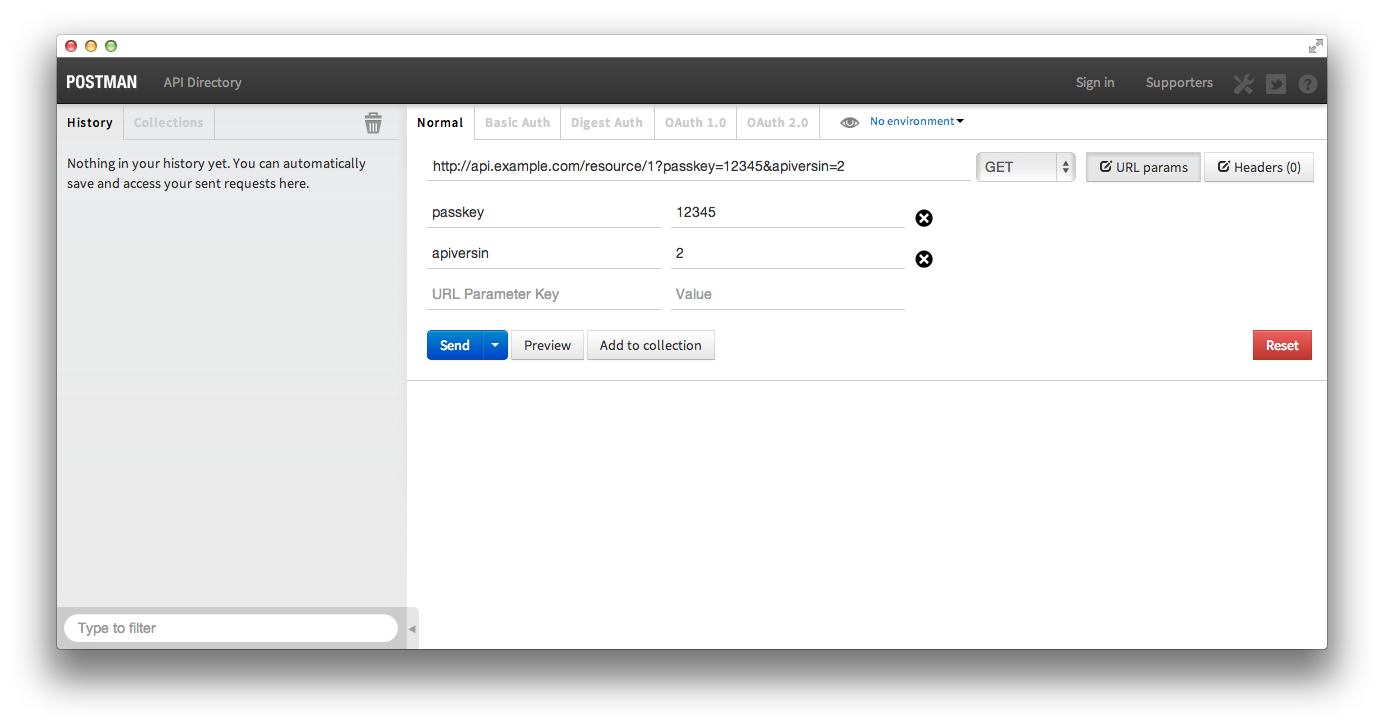
postman_get

Basic POST

It’s possible to POST files, application/x-www-form-urlencoded, and your own raw data
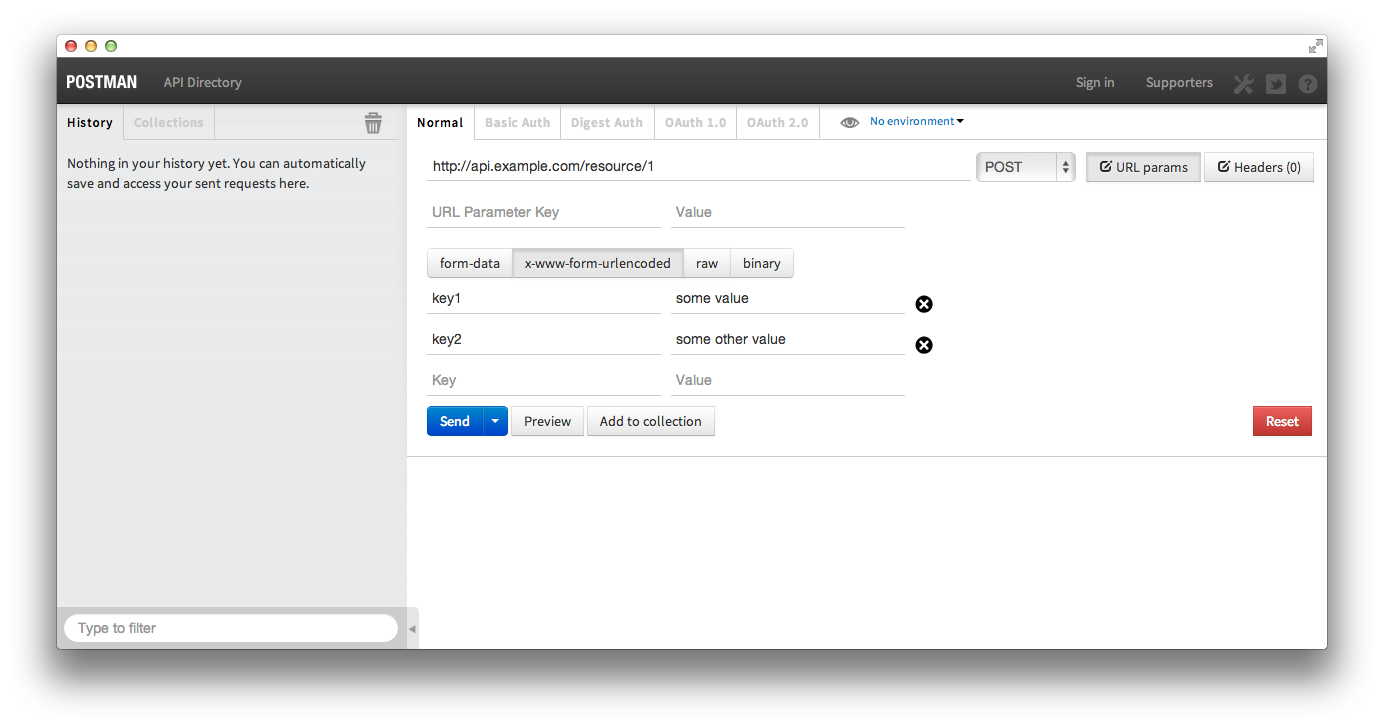
postman_post

POST with JSON body

Postman doesn’t support loading a BODY from a local file, but doing so isn’t necessary thanks to its easy to use interface.
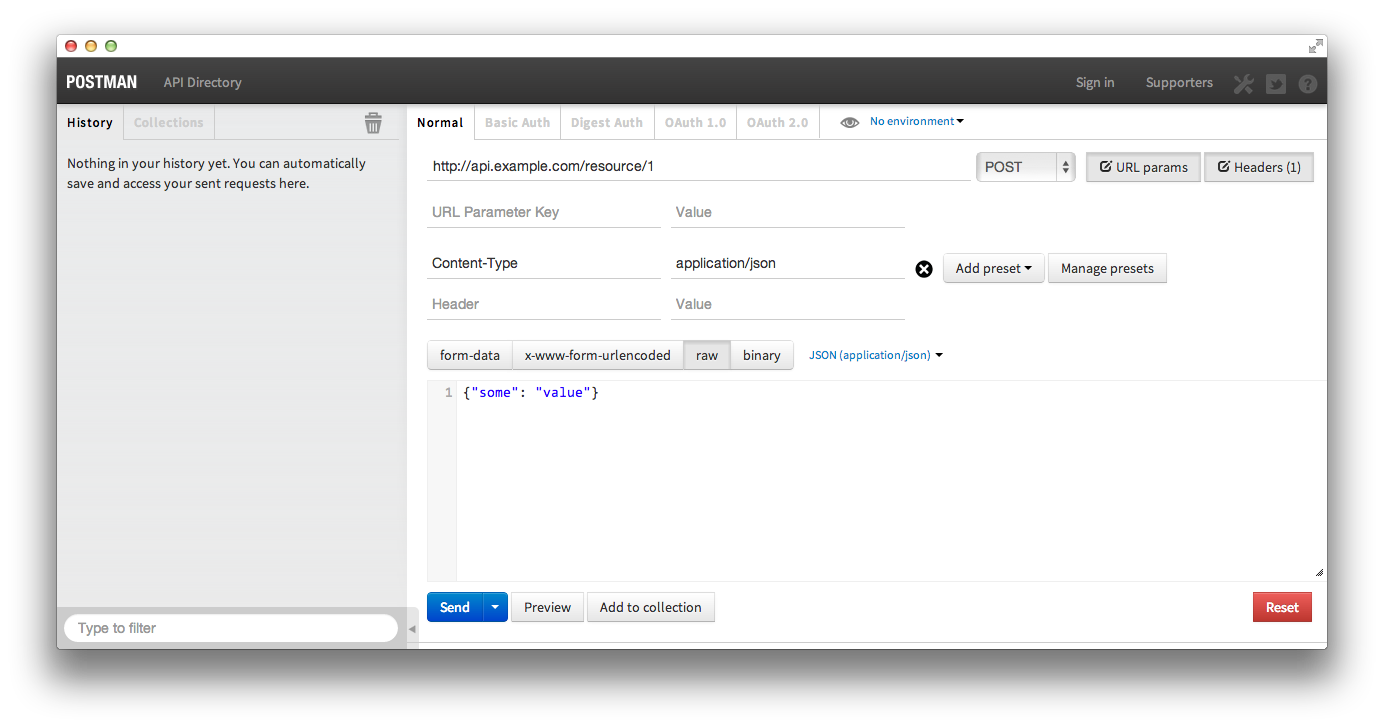
postman_post_json

RunScope.com

Runscope is a little different than the others, but no less useful. It’s a webservice instead of a tool and not open source, although they do offer a free option. It can be used much like the other tools to manually create and execute various HTTP requests, but that is not what makes it so useful.

Runscope acts a proxy for API requests. Requests are made to Runscope, which passes them on to the API provider and then passes the responses back. In the process Runscope logs the requests and responses. At that point, to use their words, “you can view the request/response details, share requests with others, edit and retry requests from the web.”

Below is a quick example of what a Runscopeified request looks like. Read their official documentation to learn more.

before: $ curl "http://api.example.com/resource/1?passkey=12345&apiversion=2"
after: $ curl "http://api-example-com-bucket_key.runscope.net/resource/1?passkey=12345&apiversion=2"

Conclusion

If you’re an API consumer you should use some or all of these tools. When I’m helping developers troubleshoot their Bazaarvoice API requests I use the browser when I can get away with it and switch to PostMan when things start to get hairy. There are other tools, I know because I omitted some of them. Feel free to mention your favorite in the comments.

(A version of this post was previously published at the author’s personal blog)

BV I/O: Nick Bailey – Cassandra

Every year Bazaarvoice holds an internal technical conference for our engineers. Each conference has a theme and as a part of these conferences we invite noted experts in fields related to the theme to give presentations. The latest conference was themed “unlocking the power of our data.” You can read more about it here.

Nick Bailey is a software developer for datastax, the company that develops commercially supported, enterprise-ready solutions based on the open source Apache Cassandra database. In his BV I/O talk he introduces Cassandra, discusses several useful approaches to data modeling and presents a couple real world use-cases.

Jolt Command Line Interface

Some of y’all may have caught our previous blog post announcing the release of our Java JSON transformation library, Jolt.

Jolt is a powerful tool that can accomplish a variety of useful transformations on JSON data, and even chain multiple transformations together. Jolt has additional functionality that is useful for working with JSON including the ability to intelligently diff JSON documents and sort JSON documents. Users of Jolt can now transform, diff and sort JSON via the command line using the Jolt CLI. The CLI even allows you to string multiple commands together via standard in:

curl -s "http://some.host.com/stuff/data.json" | jolt sort | jolt diffy moreData.json 

The Jolt CLI supports the following sub-commands:

Diffy

The Jolt Diffy sub-command is an excellent way to compare JSON documents at the command line. It gives you a lot of friendly human-readable output, or you can have it run silently and examine the exit code to determine if any differences were found.

Have you ever tried using diff to detect differences in a JSON document? Due to the nature of JSON data the regular diff command can sometimes be inadequate. For Example, consider the following two JSON documents:

diff1.json

{
  "someData": "dude",
  "moreData": "sweet"
}

diff2.json

{
  "moreData": "sweet",
  "someData": "dude"
}

Running the diff command from the command line returns the following:

user@computer:~/Projects/blog-post$ diff diff1.json diff2.json
2,3c2,3
< "someData": "dude",
< "moreData": "sweet"
---
> "moreData": "sweet",
> "someData": "dude"

This really isn’t helpful. Since the example data is in the form of a map, then two documents are essentially equal. However, because the entries are ordered differently, diff detects differences. Diffy ignores the ordering of map entries:

user@computer:~/Projects/blog-post$ jolt diffy diff1.json diff2.json
Diffy found no differences

Diffy does a recursive tree walk to find differences throughout the JSON document, so it can detect differences N levels deep.

diff3.json

{
  "aMap": {
    "stuff": "yeah"
  },
  "someData": "whatever",
  "matchingData": "cool"
}

diff4.json

{
  "aMap": {
    "differentStuff": "woah"
  },
  "differentData": "bleargh",
  "matchingData": "cool"
}
user@computer:~/Projects/blog-post$ jolt diffy diff3.json diff4.json
Differences found. Input #1 contained this:
{
  "someData" : "whatever",
  "aMap" : {
    "stuff" : "yeah"
  }
}
Input #2 contained this:
{
  "differentData" : "bleargh",
  "aMap" : {
    "differentStuff" : "woah"
  }
}

Diffy does flag differences in array ordering. Consider the following two JSON documents:

array1.json

{
  "arrayData": [
    "one",
    "two",
    "three",
    "four"
  ]
}

array2.json

{
  "arrayData": [
    "one",
    "three",
    "two",
    "four"
  ]
}

Diffy detects the differences in the array:

user@computer:~/Projects/blog-post$ jolt diffy array1.json array2.json
Differences found. Input #1 contained this:
{
  "arrayData" : [ null, "two", "three", null ]
}
Input #2 contained this:
{
  "arrayData" : [ null, "three", "two", null ]
}

If for some reason you are crazy (like some of us at Bazaarvoice) and you want to ignore array order, you can use the -a flag for those occasions.

Transform

The Jolt Transform sub-command allows you to perform transforms on JSON documents provided via standard in or file. Transform also takes a spec, which is a JSON document that contains one or more Jolt specs to indicate what transformations should be done on the document. Transform has the option to produce the results with or without pretty print formatting.

You can read more about Jolt transforms here.

Sort

The Jolt Sort sub-command will sort JSON input. The sort order is standard alphabetical ascending, with a special case for “~” prefixed keys to be bumped to the top. This can be useful for debugging when you need to manually inspect the contents of a JSON document. Sort has the option to produce the results with or without pretty print formatting.

That does it for today. Hopefully you have an idea of what the Jolt CLI does in broad strokes. If you’re curious about Jolt, you can read much more about it here.

BV I/O: Peter Wang – Architecting for Data

Every year Bazaarvoice holds an internal technical conference for our engineers. Each conference has a theme and as a part of these conferences we invite noted experts in fields related to the theme to give presentations. The latest conference was themed “unlocking the power of our data.” You can read more about it here.

In this presentation Peter Wang, co-founder and president of Continuum Analytics, discusses data analysis, the challenges presented by big data, and opportunities technology provides to overcome those challenges. He also discusses the importance of performance and visualization as well as advances the concept of “engineering on principle” which he demonstrates by discussing the design of the A-10 Thunderbolt and SAGE computerized command and control center for United States air defense. Peter ends his talk by discussing the Python programming language and its suitability for data analysis tasks. The full talk is below.

BV I/O: Dr. Jason Baldridge – Scaling Models for Text Analysis

Every year Bazaarvoice holds an internal technical conference for our engineers. Each conference has a theme and as a part of these conferences we invite noted experts in fields related to the theme to give presentations. The latest conferences was themed “unlocking the power of our data.” You can read more about it here.

The following video is of Dr. Jason Baldridge, currently an associate professor in the Linguistics Dept. at University of Texas and co-founder of People Pattern. Dr. Baldridge presented on the subject of text analysis. During his hour long talk he identified the desirable traits of a good text analysis function and focused on the problems of performing text categorization tasks given different amounts of labeled data. Big thanks to Dr. Baldridge for his informative presentation. The full talk is below:

Conversations API Inspector

An all too familiar scenario

Imagine you’re a developer working for Widgets n’More. The marketing team just came up with a new cross platform social media promotion. It’s going to involve collecting user generated content in the form of ratings and reviews. As luck would have it you remember your friend on the Ecom Team had mentioned working with a company called Bazaarvoice last year. Widgets n’More partnered with Bazaarvoice specifically for the purpose of collecting and displaying reviews.

In short order you find yourself at developer.bazaarvoice.com where you start reading the Conversations API documentation. There are a lot of fields and parameters and content types. What’s more, some of them appear to be customizable. They offer custom rating fields, tags, context data questions, and additional free text fields. One company might have “rating_value” while another might be using “rating_quality”. It’s also not immediately clear how any those should be displayed in a webform. The fields can even have customizable properties like min and max length.

So, you call your friend hoping she’ll be able to shed some light on the situation. She explains that Bazaarvoice can even configure fields based on content type, like reviews, questions or answers, and make different custom fields available depending on the parent category of a product. Unfortunately it’s been so long since the initial Bazaarvoice implementation that she doesn’t remember what was set up. If only there was an easy way for you to see exactly what fields are available taking all those factors into account…

Conversations API Inspector to the rescue

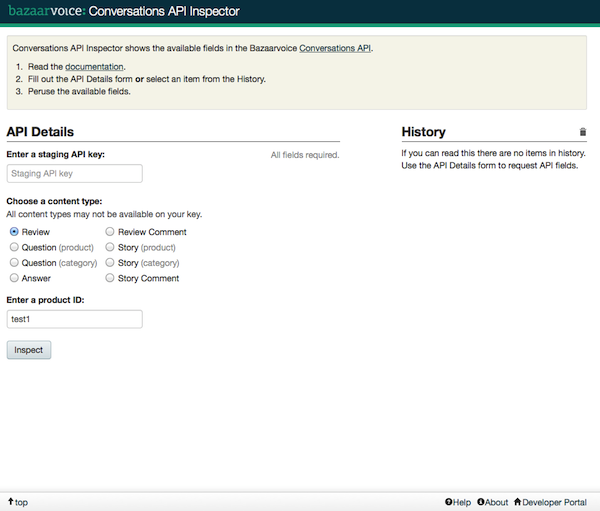
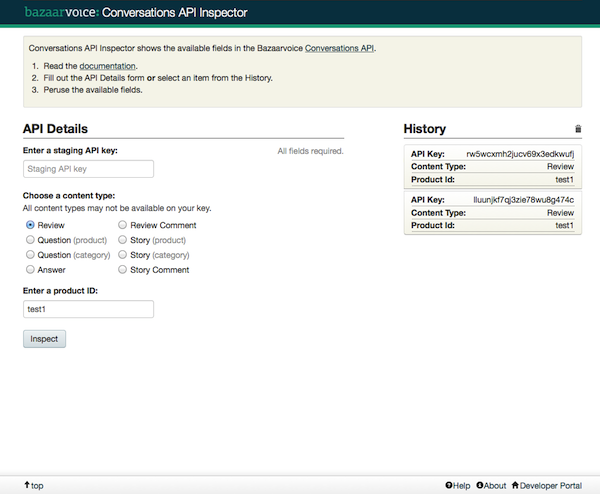
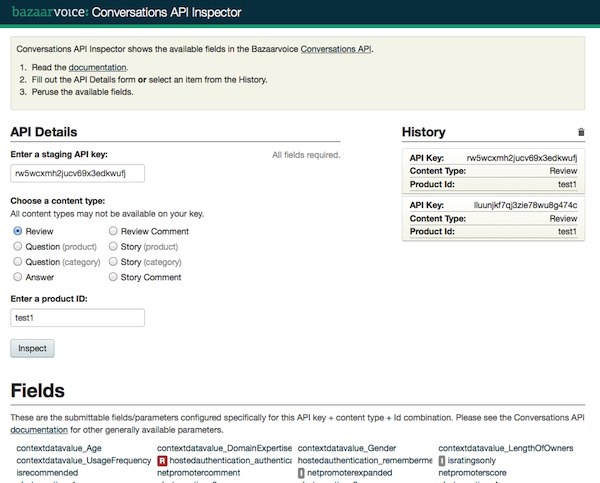
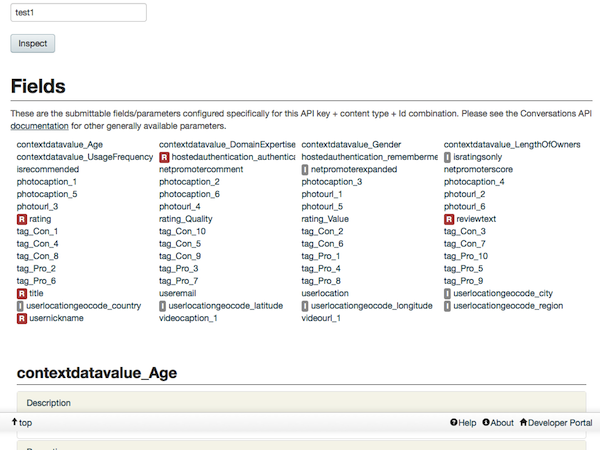
The Conversations API Inspector was created with the above scenario in mind. It is a web based app that shows what fields can be submitted to the Bazaarvoice platform using the Conversations API for any API key + content type + ID combination. With the Conversations API Inspector our imaginary developer would be able to see what fields are available, how they must be submitted in an HTTP request, meta-data about each field and much more

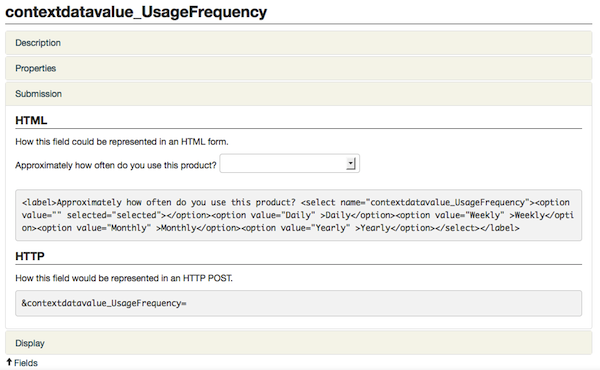
The Conversations API Inspector is ready to use and publicly available at http://api-inspector.bazaarvoice.com/. It is well documented at our Developer Portal, so instead of repeating that here I’ll leave you with some screenshots.

noHistory topNoFields topWithFields
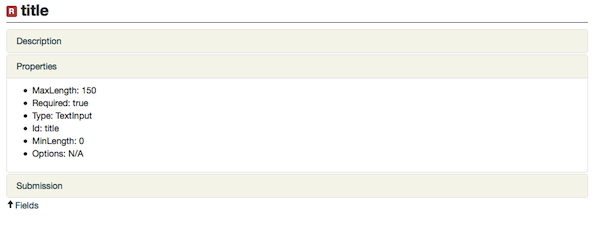
fields fieldDetailsProperties fieldDetailsSubmission

Epilogue

Even without the Conversations API Inspector all would not have been lost for our imaginary developer. He could have used the API itself to determine what fields are available. In fact this is exactly how the Conversations API Inspector does it. Of course, the Inspector provides a much more user friendly and interactive GUI than the raw JSON or XML returned by the Conversations API. You can read more about how the inspector works at the documentation under the heading “How it works”.

Using the Bazaarvoice Conversations API to build a UGC template

(This post is by Devin Carr, one of our Summer 2013 interns.)

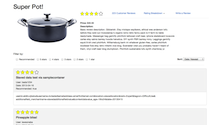
LightReviewDisplaySmallWorking as a Developer Advocate intern on the Bazaarvoice Developer Relations team has been a great learning opportunity. At the beginning of the Summer I discussed with my mentors, Chas Peacock and Frederick Feibel, what I wanted to learn while interning. We decided on front-end web-development because it is an area in which I had minimal experience. For the rest of the Summer I spent my time creating a simple review display template using the Bazaarvoice Conversations API and some really cool front-end frameworks & libraries. I also researched other ratings and reviews implementations to learn about common industry best practices and incorporated them into what I am calling my LightReviewDisplay Template.

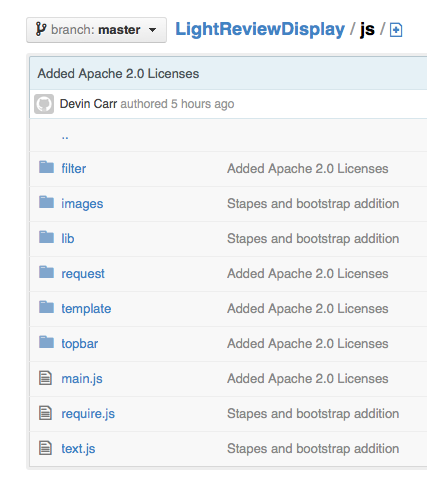
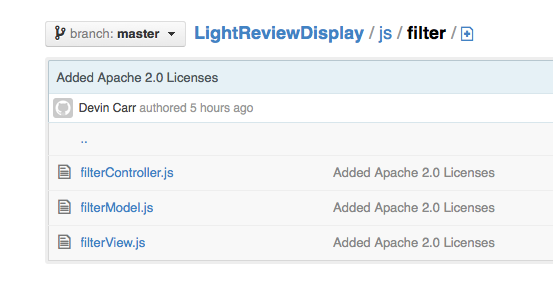
LightReviewDisplay_jsComing from a background limited to Java, I quickly discovered that Javascript is quite a different programming language. I took a few days to learn basic Javascript and HTML from Codecademy to get a grasp of the syntax and functions. Using that knowledge I created the first version of the LightReviewDisplay. I put all of the Javascript and dynamic HTML in one large file that handled loading the reviews and displaying them on the page. During my first code review Chas and Frederick suggested my code was lacking in structure and layout best practices, such as including an Object Oriented Programing model. Instead of most of my code being in just a few functions they recommended I implement RequireJS, self described as a “JavaScript file and module loader”, to encapsulate my code within a maintainable structure. They also suggested that I use Mustache, a HTML template library. Using these two libraries I could divide my code into multiple modules and avoid having large amounts of HTML embedded within my Javascript.

LightReviewDisplay_js_filterThe second version that I made was starting to look more like a modern and modular Javascript project. Chas and Frederick agreed that the increased readability of my refactored project was an improvement, but they felt it could be further improved by imposing more structure. They suggested I research some MVC (Model, View, Controller) frameworks. I looked into Backbone, KnockoutJS, Angular, and Stapes, all very versatile with separated modules for the model (data), the view (page), and the controller (user input). I ended up choosing Stapes because it is lightweight and is a very minimal framework that allows lots of customization.

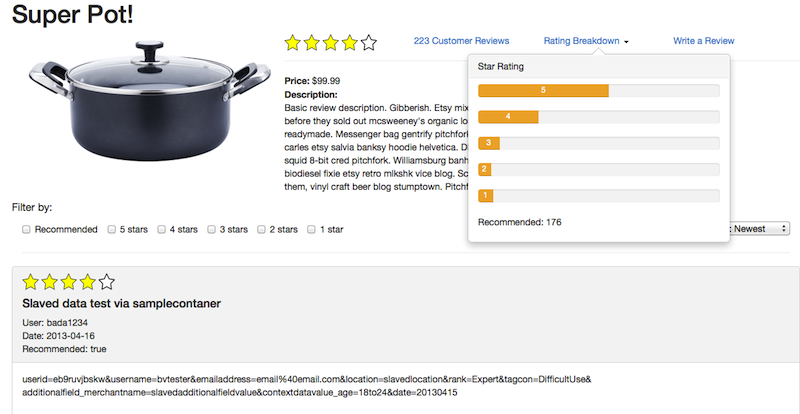
LightReviewDisplayRatingsSummaryAt this point the project was functional but the user experience needed improvement. I decided to do some research into how a product review page should actually look. I inspected several retailers to see what was common about their layouts and what would be the best way to integrate reviews onto a product page. They all followed a two part system: a summary section at the top of the page and a more detailed section further down. The summary section shows the product’s price, description and a review ratings summary. It typically had the average rating for the product, the total number of reviews, and a rating breakdown per-star. Then towards the bottom of the product page, there was a review module that held all of the consumer reviews. I combined what I had learned about layout with Twitter Bootstrap resulting in an efficient and usable template for displaying UGC.

My Summer project was a great way to get started with Javascript and get familiar with the Bazaarvoice Conversations API. Throughout my internship I learned a lot about being a software engineer, expanded my CS knowledge and got some firsthand experience working amongst a small team of developers. This internship also gave me the opportunity to learn with the latest front-end libraries, architectural patterns, and work with really great developers. A special thank you goes out to Chas and Frederick for taking time out of their days to assist me with any problem I came across.

More about the LightReviewDisplay Template:
Bazaarvoice Inspiration Gallery: https://developer.bazaarvoice.com/inspiration_gallery/lightreviewdisplay
Source: https://github.com/DevinCarr/LightReviewDisplay

BV I/O: Adrian Cockroft

As part of our internal BV I/O conference we’ve previously profiled on the blog, we had Adrian Cockroft, Cloud Architect at Netflix, come give us an overview of a lot of Netflix’s architecture as well as information on their multitude of open source projects and the ways Netflix is engaging the community to contribute. He also talked about some of his personal sources of inspiration when it’s come to things his teams have developed at Netflix. Big thanks to Adrian for taking the time out to come visit with us in Austin. The full talk is below:

Making of the Bazaarvoice SDK for Windows Phone 8

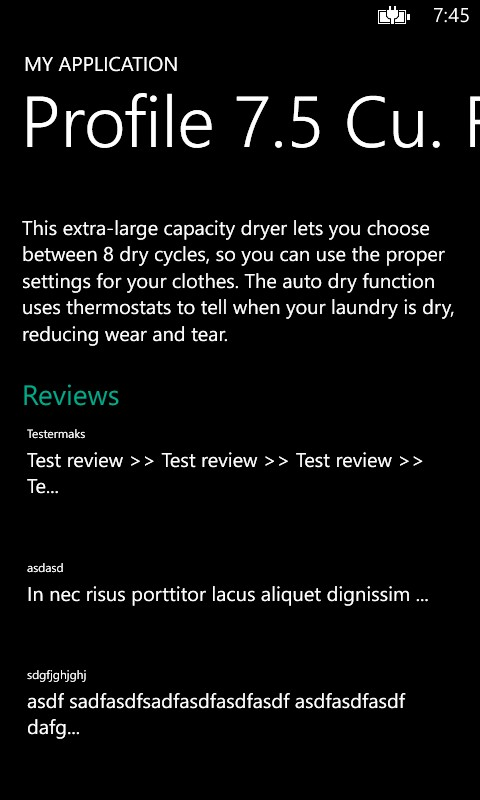
A page displaying item name, item information, and a list of reviews.

Hi, my name is Ralph Pina, I am a Summer ’13 intern and UT-Austin Computer Science student. During this summer I had the privilege of working with another intern, Devin Carr, on Bazaarvoice’s .NET SDK for Windows Phone 8 and Windows 8 Store apps. Our goal was to provide convenient access to our Conversations API and make the app development experience even better. We want our customers’ developers to spend more time figuring out how to make better use of the data in our network and innovating on ways to increase engagement with their brands, products, and services.

We currently provide SDKs for many other platforms including iOS, Android, so moving to cover the third largest mobile platform was a natural extension. As for Windows 8 Store apps, they are not as numerous or popular as traditional Windows Desktop apps, but as the install base for Windows 8+ devices grows, and developers get more accustomed to working with a touch interface on all their devices, their numbers should increase. This will provide an opportunity for first movers to grab a spot in million (billions?) of user’s Start Screen. We’ve got your back.

We tried to implement best practices in our development. Below are some of the technical challenges we experienced:

  • Networking: we used the newly ported Microsoft HttpClient. This is the most popular client in other .NET platforms and Microsoft is actively working to optimize it for Windows Phone. Our first implementation used the RestSharp library, a popular, open source Http client. However, like the Apache HttpClient in Android, this library loaded all data into a byte array before sending. While Windows Phone 8 has a higher max heap size for apps than Android, there is still a limit you may cross with a large image or video. Switching to HttpClient did not completely solve our problems however. While in other .NET platforms the library will buffer and stream content, this seems to be a limitation for Windows Phone. However, we hope this changes in the near future.
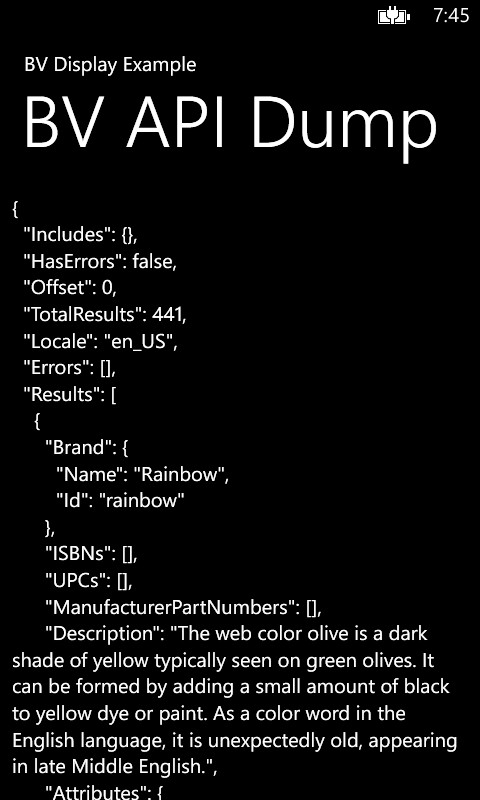
  • The getting started .NET app walks a developer through the installation of the SDK and  how to make a simple http request and dump the JSON response on the screen.Windows Phone does not have a native JSON library available, so we used the Newton JSON.NET library. I especially like the array syntax to access items in the JSON hierarchy: for example JSONObj[“tag1”][“tag2”][“tag3”] will access a property named “tag3” which is inside the JSON object named “tag2”, which is itself inside the JSON object named “tag1”, etc, etc.

So you say there are better ways of doing this, or you want a specific implementation for your enterprise to use across various apps/brands/divisions? You are in luck! Our .NET SDK is open sourced and can be found on GitHub: https://github.com/bazaarvoice/bv-.net-sdk. So head over, hack it, maybe even submit a pull request to lay your claim to glory. While you are in GitHub, browse all the other awesome repos we’ve open sourced over the years.

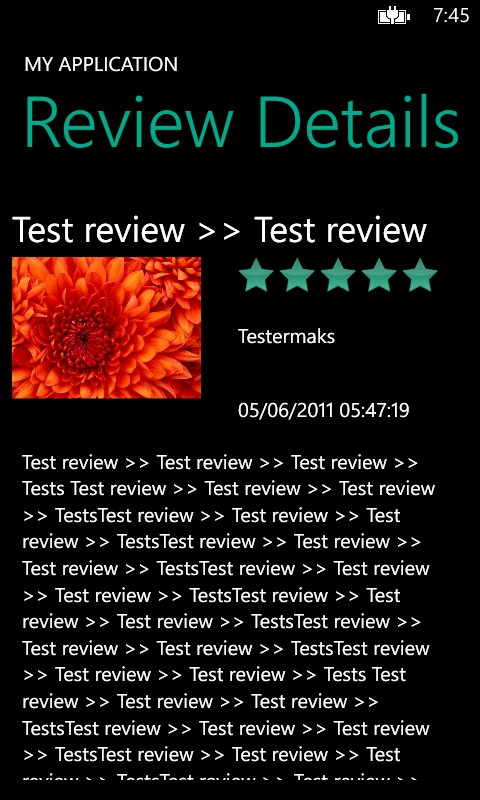
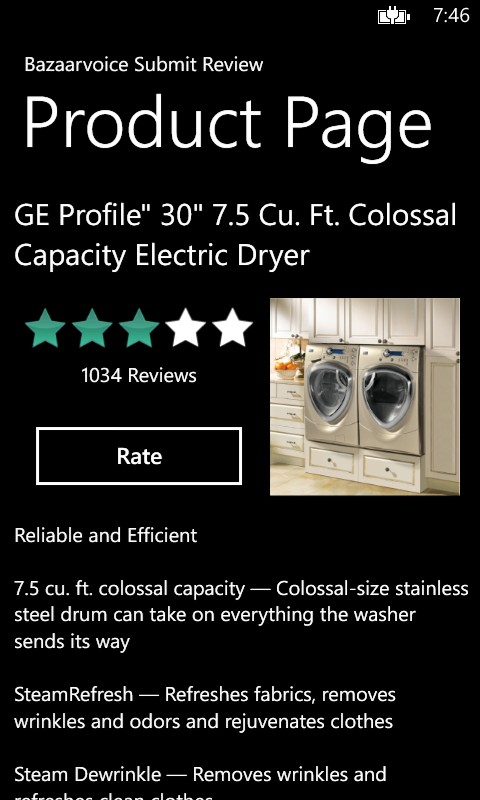
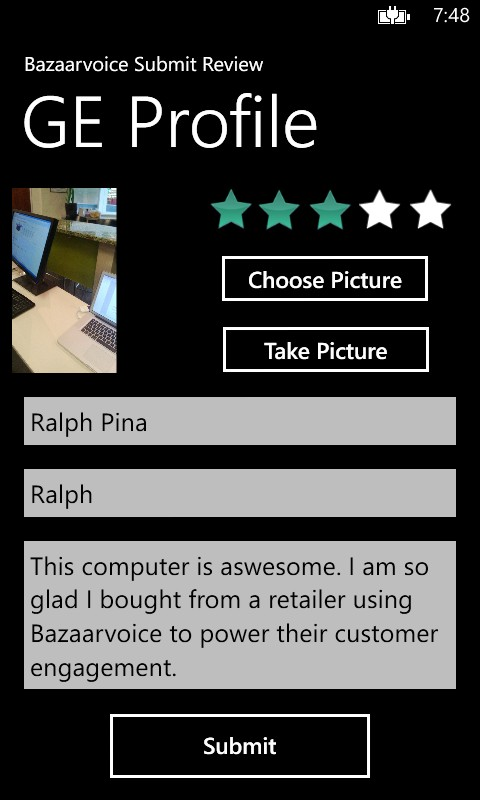
Below I have included some screenshots of a couple of sample apps that demonstrate how to use the .NET SDK to submit and display sample data from our API.

A review details page using the title, user nickname, data, image, and review text.A example of a product page showing ratings.An example of a review submission page

Cheers,
Ralph Pina

Bazaarvoice SDK for Windows Phone 8 has been Open Sourced!

The Bazaarvoice Mobile Team is happy to announce our newest mobile SDK for Windows Phone 8. It is a .NET SDK that supports Windows Phone 8 as well as Windows 8 Store apps. This will add to our list of current open-source mobile SDKs for iOS, Android and Appcelerator Titanium.

The SDK will allow developers to more quickly build applications for Windows Phone 8 and Windows 8 Store that use the Bazaarvoice API. While the code is the same for both platforms, they each need their own compiled DLL to be used in their perspective Visual Basic projects. As Windows Phone 8 and Windows 8 Store apps gain more traction in the marketplace, we hope the Bazaarvoice SDK will prove a valuable resource to developers using our API.

Learn more at our Windows Phone 8 SDK home page, check out our repo in GitHub, and contribute!

The SDK was developed by two summer interns: Devin Carr from Texas A&M and Ralph Pina from UT-Austin. Go horns!

In the next few days we’ll publish a more in-depth post about how the Windows Phone 8 SDK was built, some of design decisions and challenges.